

6 AI tools that save time without killing your voice
The ultimate AI toolkit for content creators: 6 tools that actually save time, without killing your voice

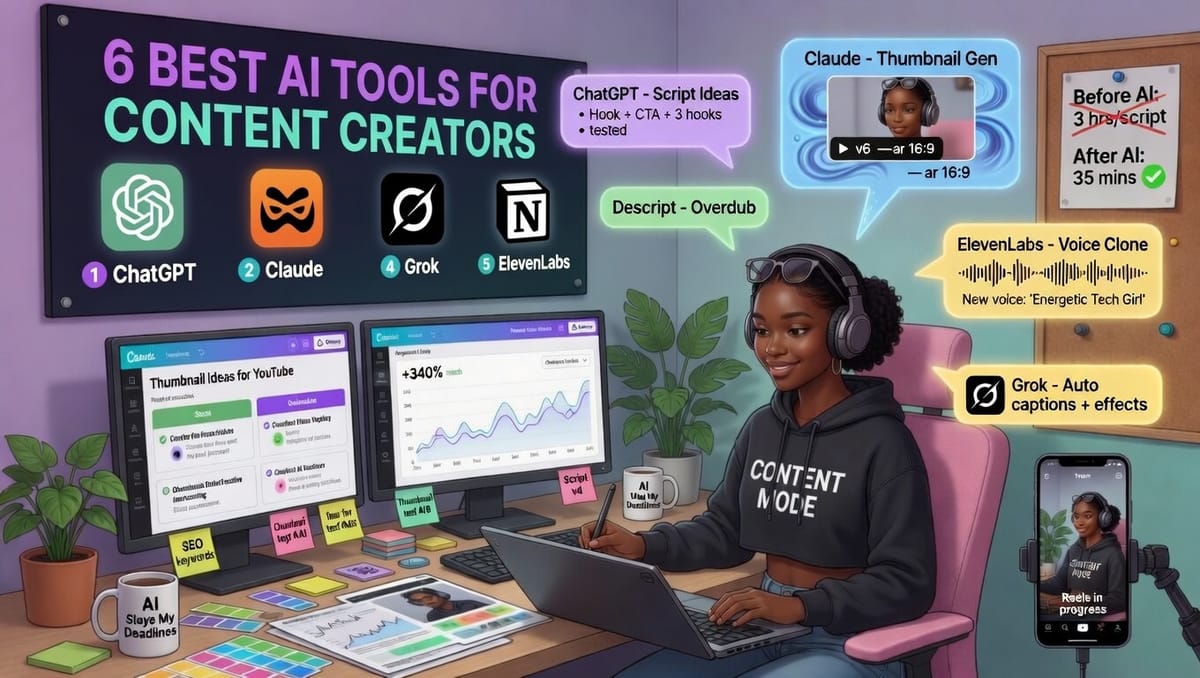
If you're anything like me, you're drowning in ideas but starving for time. In 2026, AI isn't just a gimmick, it's your tireless co-writer, designer, voice actor, and repurposing machine. But not all tools are created equal.
When I researched the current top AI tools for content creators, here are the 6 best AI tools that consistently deliver for writers, YouTubers, podcasters, bloggers, and social media pros. For each, I'll break down the real advantages, honest disadvantages, pricing snapshot, and exactly how to use it like a pro.
No hype. Just what works.
Advertisement
 Gaurav VohraStartup Advisor & Growth Leader
1. Claude (by Anthropic): Best for Long-Form Writing & Deep Thinking
The standout for blogs, newsletters, essays, and thought leadership.
Advantages
- Writes with genuinely human nuance, flow, and personality—far less "AI-sounding" than most competitors.
- Massive context window (200K+ tokens) handles entire research docs, brand guides, or 10,000-word outlines in one go.
- Excellent reasoning and consistency; great at following complex instructions and maintaining your voice across long pieces.
- "Projects" feature lets you upload your style guide, past articles, or client briefs so it remembers everything.
Disadvantages
- Usage limits can frustrate heavy users (even on paid plans).
- No native image or video generation (you'll pair it with Canva or ElevenLabs).
- Sometimes overly cautious or formal—less "edgy" or wildly creative on risky topics.
Pricing
Free tier available (limited). Claude Pro ≈ $20/month for higher limits and Opus model.
How to Use It Like a Pro
- Create a Project and upload your brand voice document + 3–5 of your best past pieces.
- Start with a strong prompt: "Using the brand voice from the uploaded files, write a 1,800-word newsletter on [topic] for [audience]. Include a hook in the first 3 lines, 3 actionable takeaways, and a conversational tone."
- Ask it to outline first → approve → expand section by section.
- Final polish prompt: "Rewrite the conclusion to feel more inspiring and end with a clear CTA."
Pro Tip: Use Claude for your first draft, then run it through Grammarly or a quick human edit. Many creators say it cuts writing time by 60–70%.
Advertisement
 Nat Friedman
2. ChatGPT (Plus): The Versatile Swiss Army Knife
Best all-rounder for ideation, outlines, research, rewriting, and quick content.
Advantages
- Incredibly fast and flexible—brainstorm 20 titles, outline a video script, or rewrite for different platforms in seconds.
- Custom GPTs + memory let you create a "personal brand assistant" trained on your voice.
- Multimodal (analyze images, generate DALL·E visuals, browse the web in real time).
- Huge ecosystem of plugins and integrations (Zapier, Notion, etc.).
Disadvantages
- Free version is heavily limited.
- Can hallucinate facts or produce generic output without excellent prompting.
- Sometimes overly verbose or repetitive.
Pricing
Free (limited). ChatGPT Plus ≈ $20/month (recommended for serious creators).
How to Use It
- Ideation: "Give me 15 viral YouTube video ideas on AI tools for creators, with hooks and target keywords."
- Rewriting: Paste your draft + "Rewrite this in a punchier, more conversational tone for Instagram captions."
- Build a Custom GPT once: Upload your style guide and bio, then chat with "Your Brand Voice Assistant" forever.
- Chain prompts: Outline → research key stats → full draft → SEO-optimized version.
Pro Tip: Use it early in the process (ideation + research) and Claude later for the final long-form polish.

3. Jasper AI: Best for Branded Marketing & Scalable Content
The go-to when you need consistent brand voice across ads, emails, social, and blogs.
Advantages
- Best-in-class Brand Voice training, upload samples and it actually sounds like you or your company.
- 50+ marketing-specific templates (ad copy, email sequences, product descriptions, LinkedIn carousels).
- Campaign workflows: one brief → full multi-channel content package.
- Strong SEO mode and integrations (Surfer SEO, Grammarly, etc.).
Disadvantages
- More expensive than general LLMs.
- Output can feel templated if you don’t heavily customize briefs.
- Best for structured marketing content rather than pure creative/long-form storytelling.
Pricing
Creator plan ≈ $39–49/month (1 user, 1 brand voice). Pro ≈ $59–69/month (team features). Business = custom.
How to Use It
- Spend 20 minutes training Brand Voice with 8–10 of your best pieces.
- Use templates with detailed briefs: include target audience, keywords, tone, and 3 must-include points.
- Generate 3-5 variants → pick the best → edit lightly.
- For blogs: Use "Long-form Assistant" or combine with Claude for the heavy lifting.
Pro Tip: Jasper shines for high-volume marketing teams or when you need 10 pieces of on-brand content in one afternoon.
4. Canva Magic Studio – Best for Visuals & Quick Designs
The easiest way to look professional without being a designer.
Advantages
- Magic Design, Magic Write, Magic Edit, and text-to-image generation—all in one familiar interface.
- Thousands of templates + Brand Kit (colors, fonts, logos) for instant consistency.
- Affordable and beginner-friendly; generates multiple options per prompt.
- One-click resize for every platform (Reels → Stories → YouTube thumbnails).
Disadvantages
- AI-generated images can sometimes look generic or have weird artifacts.
- Commercial use rights depend on your plan (Pro is safer).
- Not a replacement for complex custom illustration work.
Pricing
Free tier solid. Canva Pro ≈ $12.99–14.99/month (worth it for most creators).
How to Use It
- Thumbnails & Graphics: "Create a bold YouTube thumbnail for a video about the best AI tools in 2026, cyberpunk neon style, text: '5 AI Tools That Will Save You 20 Hours/Week'."
- Social Carousels: Use Magic Design with a full prompt describing the entire 8-slide carousel.
- Brand Consistency: Set up Brand Kit once—then every AI generation automatically matches your colors/fonts.
- Edit generated images with Magic Edit ("remove the background and replace with a clean tech gradient").
Pro Tip: Generate in Canva → export → run through CapCut or Descript for final polish.
5. ElevenLabs – Best AI Voiceovers & Audio
The most realistic AI voices on the market—perfect for faceless content, podcasts, and scaling narration.
Advantages
- Shockingly human-like voices with breathing, emotion, and natural pacing (v3 model is excellent).
- Instant voice cloning (upload 1–30 minutes of your own audio with consent).
- 70+ languages, emotional control, sound effects, and dubbing that preserves timing.
- Huge library (5,000+ voices) and API for automation.
Disadvantages
- Credit-based pricing-high-volume use gets expensive.
- Best voices and features locked behind higher plans.
- Cloning requires clear rights/consent (ethical & legal must).
Pricing
Free tier (limited characters). Paid plans start low but scale with usage (Starter ~$5–20, Creator/Pro higher-check current for your volume).
How to Use It
- Write or paste your script (or import from Claude/ChatGPT).
- Choose a voice or clone your own (Voice Lab → upload clean samples).
- Add performance notes in the prompt: "Excited and energetic, slight smile in voice, pause after key points."
- Generate → tweak Stability/Clarity sliders → preview → download.
- Drop the MP3 into your video editor or use for podcast intros/outros.
Pro Tip: Perfect for YouTube narration, LinkedIn video voiceovers, or turning blog posts into audio versions for extra reach.
6. Grok (by xAI): The Wildcard / Power Research & Ideation Tool
Why it’s here: While not a “production” specialist like the others, Grok is the tool many creators are quietly adding in 2026 for its unique superpowers.
Advantages
- Real-time web access and live trend analysis (no knowledge cutoff)
- Witty, personality-driven responses, fantastic for viral hooks, controversial angles, and scroll-stopping copy
- Excellent deep reasoning and “what if” creative thinking
- Grok Imagine for fast image concepts and editing
- Less censored and more fun/unfiltered than most competitors
- Can pull fresh data from X, web search, and image sources in seconds
Disadvantages
- Not specialized for long-form structured writing (Claude still wins here)
- No dedicated marketing templates or brand voice training like Jasper
- Voice and advanced image features are still catching up to dedicated tools
Pricing
Free with limits. Premium/SuperGrok tiers ≈ $10–30/month depending on usage.
How to Use It Like a Pro
- Research powerhouse: “What are creators complaining about most on X right now regarding algorithm changes?”
- Hook & title machine: “Turn this blog post into 8 controversial but true X thread hooks that will spark debate.”
- Wild ideation: “Give me 12 unexpected angles for a video about AI tools that no one else is talking about.”
- Brutal feedback: Upload your draft and ask “Be ruthless, what’s boring and how do I fix it?”
- Image concepts: “Generate 5 thumbnail concepts for a video comparing Claude vs Grok for creators.”
Pro Tip: Use Grok first for research, fresh angles, and killer hooks. Then feed the best ideas into Claude or Jasper for polishing and production.
Bonus Video Repurposing Tools (Quick Mentions)
- Opus Clip: Paste a long YouTube video → AI finds the best 30–60 second moments, adds captions, and scores virality. Saves hours turning one long video into 10+ shorts.
- Descript: Edit video/podcasts by editing text. Overdub feature lets you fix mistakes with AI voice (no re-recording). Game-changer for podcasters.
Building Your 2026 AI Stack (My Recommended Starter Kit)
Beginner: Claude (writing) + Canva (visuals) + ChatGPT (ideation)
Intermediate: Add Jasper (branded marketing) + ElevenLabs (audio)
Advanced: Layer Opus Clip/Descript on top for full repurposing machine.
Golden Rule: AI is a multiplier, not a replacement. The best creators use it to 3–5× output while keeping their unique voice, opinions, and storytelling. Always edit, fact-check, and add your personal touch.
Ethical Note: Disclose AI assistance where it makes sense (especially for clients or platforms with policies). Never clone voices without explicit permission.
What’s your current AI stack?
Reply and tell me your favorite tool or the one you’re most excited to try, I read every message and love featuring creator workflows in future issues.
If this newsletter saved you even one hour this week, forward it to a creator friend.